
ICP DAS GW-7472 quick start guide covering software installation, network scan, module configuration and diagnostics for EtherNet/IP and Modbus communication.
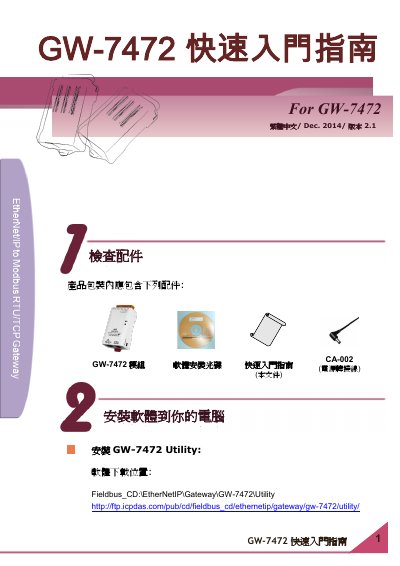
This Traditional Chinese quick start guide (version 2.1, December 2014) from ICP DAS explains how to set up the GW-7472 gateway module. It lists the items that should be in the product package (the GW-7472 module, the software installation CD, the quick start guide and the CA-002 power adapter cable) and gives the Fieldbus CD path and FTP location for the GW-7472 Utility.
The steps cover verifying the PC network settings and firewall configuration, setting the Init/Run switch to Init, connecting the GW-7472 and the PC to the same hub or subnet and powering on, then using the GW-7472 Utility to run Network Scan, open the Configure screen and save settings with Update Settings. The Init-mode values are shown as IP 192.168.255.1, gateway 192.168.0.1 and mask 255.255.0.0. For diagnostics the switch is set to Run, the module is power-cycled and reconnected, and the Diagnostic window displays UCMM/Forward Open Class 3 behavior, Forward Open Class 1 behavior, response message format and Modbus TCP server connection status. The last page lists links to the product page, manuals, utility, firmware and contact e-mail. This manual is written in Chinese.
| Default IP address in Init mode | 192.168.255.1 |
|---|---|
| Default gateway in Init mode | 192.168.0.1 |
| Default subnet mask in Init mode | 255.255.0.0 |
| Modbus TCP server IP entries | 10 |
Open the GW-7472 Utility from the desktop shortcut and click the Network Scan button to search for your GW-7472.
After configuring, click the Update Settings button to complete the module function settings.
In Init mode the settings shown are IP 192.168.255.1, gateway 192.168.0.1 and mask 255.255.0.0.
Set the Init/Run switch to the Run position, restart the module power and reconnect before clicking the Diagnostic button.