
Key facts
- Brand
- HTC
- Model
- HD7S
- Industry
- Electronics
- Documents
- 2
- Languages
- EN
- Last added
- 2012-07-03
Start here
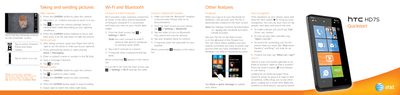
HTC HD7S Smartphone Quickstart Guide
This document provides a quick start overview for the HTC HD7S smartphone. It details how to take photos and record videos using the built-in camera, including instructions on switching modes and adjusting settings like flash and zoom.
The guide also covers essential connectivity features such as connecting to Wi-Fi networks and pairing Bluetooth headsets. Additionally, it explains how to set up various email accounts (POP3/IMAP, Web-based, Corporate) and browse the web using Internet Explorer.
HTC HD7S specifications
| Camera resolution | 5 megapixel |
|---|---|
| Audio jack | 3.5 mm |
| USB cable included | Yes |
| Kickstand | Present |
Source: HTC HD7S User guide
All HTC HD7S documents by type
Day-to-day operation, settings and troubleshooting. Start here if the product is already set up.
- HTC HD7S User guide 79 p
The shortest path to a working setup, usually only a few pages.
Questions answered in these manuals
How do I set up an email account?
From the Start screen, tap Settings > email & accounts > add an account, or tap the Email tile on the Start screen.
How do I install apps from the Marketplace?
Tap the Marketplace tile, search for the app you want to install, then tap install in the app details screen.
How do I turn on airplane mode?
Open Settings and toggle Flight mode (Airplane mode) on or off.
From: HTC HD7S User guide
How do I insert the SIM card?
Remove the back cover, locate the SIM card slot, and insert the SIM card into the slot.
From: HTC HD7S User guide