
Key facts
- Brand
- HTC
- Model
- HTC-8
- Category
- Other
- Industry
- Electronics
- Documents
- 3
- Languages
- EN
- Last added
- 2026-09-28
Start here
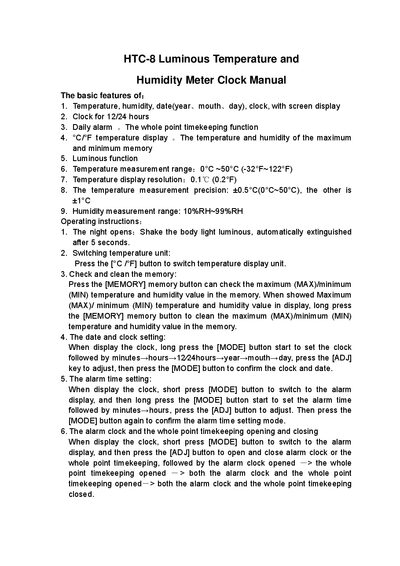
HTC-8 Luminous Temperature and Humidity Meter Clock Manual
The HTC-8 Luminous Temperature and Humidity Meter Clock provides temperature and humidity measurement, date and time display, alarm, and memory of maximum/minimum values. It features a 12/24‑hour clock, luminous backlight, and selectable Celsius/Fahrenheit units.
The manual details basic features and step‑by‑step operating instructions, including how to set the clock, adjust the alarm, switch temperature units, and clear stored maximum/minimum readings.
HTC-8 specifications
| Temperature measurement range | 0°C ~ 50°C (-32°F ~ 122°F) |
|---|---|
| Temperature display resolution | 0.1 °C (0.2 °F) |
| Temperature measurement precision | ±0.5 °C (0 °C‑50 °C), otherwise ±1 °C |
| Humidity measurement range | 10 %RH – 99 %RH |
Source: HTC-8 Luminous Temperature and Humidity Meter Clock Manual
All HTC-8 documents by type
Day-to-day operation, settings and troubleshooting. Start here if the product is already set up.
Disassembly, diagnostics and part numbers, for repair.
Questions answered in these manuals
How do I switch between Celsius and Fahrenheit?
Press the [°C/°F] button to switch the temperature display unit.
From: HTC-8 Luminous Temperature and Humidity Meter Clock Manual
How do I set the alarm time?
Short‑press the [MODE] button to show the alarm, then long‑press [MODE] to set minutes and hours, adjusting with [ADJ] and confirming with [MODE].
From: HTC-8 Luminous Temperature and Humidity Meter Clock Manual
How do I perform a hard reset if the screen is frozen after a firmware flash?
Execute a hard‑reset as described in the manual when the screen is frozen after re‑flash.
How can I upgrade the firmware on the Prodigy?
Upload the firmware code from the master unit to a mini‑SD card and then flash it onto the device.