
Key facts
Start here
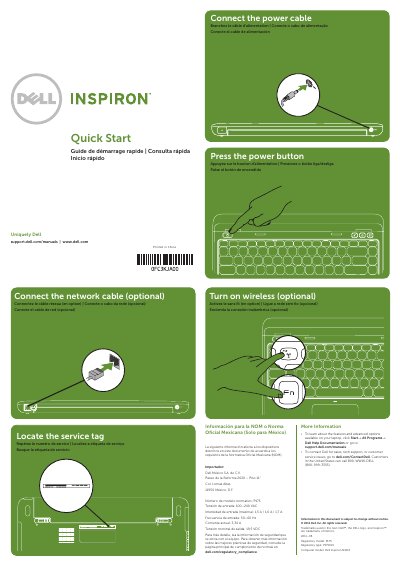
Dell Inspiron N311Z Laptop Quick Start Guide
This document serves as a Quick Start Guide for the Dell Inspiron N311Z laptop. It provides essential instructions for initial setup, including connecting the network cable, activating wireless connectivity, and connecting the power adapter. The guide is presented in multiple languages, including English, French, Portuguese, and Spanish.
Read onlineDell Inspiron N311Z specifications
| USB 3.0 Connectors | 2 |
|---|---|
| USB 2.0 Connectors | 1 |
| HDMI Connector | 1 |
| Media Card Reader | 8-in-1 |
All Dell Inspiron N311Z documents by type
The shortest path to a working setup, usually only a few pages.
Questions answered in these manuals
How do I connect the network cable?
The guide instructs users to connect the network cable as an optional step for setup.
Where can I find the service tag?
The document directs the user to locate the service tag on the device.
Where can I find the service tag?
Locate the service tag on the laptop as instructed in the guide.
How do I activate wireless?
Turn on wireless as an optional step during the initial setup.
Where can I find more information about features and advanced options?
Click Start→ All Programs→ Dell Help Documentation or go to support.dell.com/manuals.
How do I contact Dell for sales or support?
Go to dell.com/ContactDell. Customers in the United States can call 800-WWW-DELL (800-999-3355).