
This document provides instructions on how to set up and use a Dell computer.
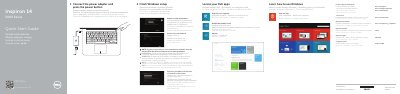
This two-page quick start guide is for the Dell Inspiron 14 5000 Series (Inspiron 5448) computer. It outlines initial Windows setup steps, including connecting power, network, and a Microsoft account, plus locating Dell apps and product support.
It also provides labeled diagrams of the computer's ports and controls and a table of keyboard shortcut keys, along with regulatory model P49G and regulatory type P49G001.
| Regulatory model | P49G |
|---|---|
| Regulatory type | P49G001 |
| Computer model | Inspiron 5448 |
| USB 3.0 ports | 2 |
Enter the password for the wireless network access when prompted.
Use dell.com/support and dell.com/support/manuals.
See Specifications at dell.com/support.
Scan the code to access how-to information at Dell.com/QRL/Inspiron/14.