
Key facts
- Brand
- Datasensor
- Model
- S50-Mx
- Category
- sensor
- Documents
- 2
- Languages
- EN
- Last added
- 2023-11-17
Start here
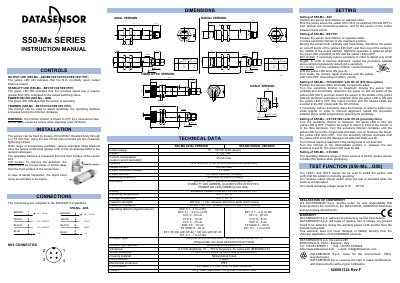
DATASENSOR S50-Mx Series Sensor Instruction Manual
This document provides the instruction manual for the DATASENSOR S50-Mx series of sensors. It details the controls, including output and stability LEDs, and explains how to use the sensitivity trimmer for various models. The manual covers installation methods, such as fixing the sensor via an M18x1 threaded body or using screws, and describes the wide range of available accessories for positioning.
Read onlineDATASENSOR S50-Mx specifications
| Power supply | 10 … 30 Vdc |
|---|---|
| Current consumption | 35 mA max. |
| Output current | 100 mA max. |
| Response time | 0.5 ms |
| Operating temperature | -25 … 55 °C |
| Mechanical protection | IP67 |
| Weight (cable version) | 110 g. max. |
All DATASENSOR S50-Mx documents by type
Day-to-day operation, settings and troubleshooting. Start here if the product is already set up.
Questions answered in these manuals
How do I adjust the sensitivity of the sensor?
Use the trimmer to adjust sensitivity; the operating distance increases turning the trimmer clockwise.
What does the yellow LED indicate?
The yellow LED ON indicates that the N.O. (normally open) output status is closed.
What does the yellow LED indicate?
The yellow LED ON indicates that the N.O. (normally open) output status is closed.
How is the sensor installed?
The sensor can be fixed by means of the M18x1 threaded body through a ∅ 18 mm hole.