
Key facts
- Brand
- Datasensor
- Model
- S65-PA-5-V09
- Documents
- 2
- Languages
- EN
- Last added
- 2023-10-17
Start here
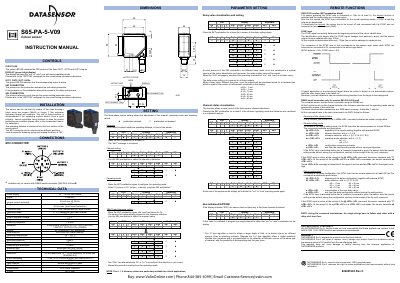
DATASENSOR S65-PA-5-V09 Colour Sensor Instruction Manual
This manual provides step-by-step instructions for installing and configuring the DATASENSOR S65-PA-5-V09 colour sensor. It details how to mount the sensor using M4 screws, set operating modes (C or C+I), adjust tolerance levels, and configure delay settings using pushbuttons or RS485 serial commands. Technical specifications include power requirements, output types, operating temperature, and environmental protection ratings. Remote control via RS485 is supported with ASCII commands for channel, tolerance, and delay configuration.
Read onlineDATASENSOR S65-PA-5-V09 specifications
| Power Supply | 10 … 30 Vdc |
|---|---|
| Consumption | 60 mA max. @ 24Vdc |
| Outputs | 3 PNP or NPN outputs 30 Vdc max. (short-circuit protection) |
| Operating Temperature | -10 … 55 °C |
| Storage Temperature | -20 … 70 °C |
| Operating Distance | 20 mm (typical) |
| Minimum Spot Dimension | ∅ 4 mm |
| Response Time | 335us |
| Switching Frequency | 1.5 KHz |
| Housing Material | ABS |
| Lens Material | Glass |
| Mechanical Protection | IP67 |
| Weight | 100 g. max. |
Source: DATASENSOR S65-PA-5-V09 Colour Sensor Instruction Manual
All DATASENSOR S65-PA-5-V09 documents by type
Day-to-day operation, settings and troubleshooting. Start here if the product is already set up.
Questions answered in these manuals
How do I set the operating mode for the sensor?
Press the SET pushbutton to enter the setting mode, then use the SEL pushbutton to select C (colour) or C+I (colour + intensity) mode.
From: DATASENSOR S65-PA-5-V09 Colour Sensor Instruction Manual
What is the maximum tightening torque for the mounting screws?
The maximum tightening torque for the mounting screws is 1 Nm.
From: DATASENSOR S65-PA-5-V09 Colour Sensor Instruction Manual
How do I access the delay setting menu?
Press and hold the SET pushbutton for a long time to allow access to the delay setting menu.
From: Datasensor S65-PA-5-V09 Colour Sensor Instruction Manual
What does the yellow LED indicate?
The yellow LED being ON indicates the OR function of the three OUT1, OUT2 and OUT3 outputs.
From: Datasensor S65-PA-5-V09 Colour Sensor Instruction Manual