
Key facts
- Brand
- Alcatel-Lucent
- Model
- 4068
- Industry
- Electronics
- Documents
- 3
- Languages
- EN
- Last added
- 2026-11-16
Start here
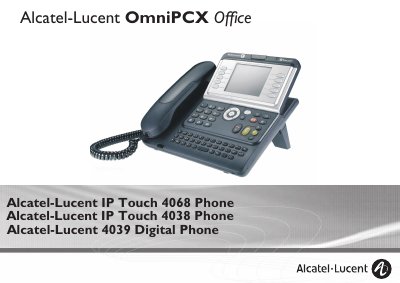
Alcatel-Lucent IP Touch 4068 Phone User Manual
This manual covers the Alcatel-Lucent IP Touch 4068 Phone, detailing its ergonomic design, large graphic screen, and various keys for effective communication. It explains how to use the device for making and receiving calls, utilizing audio keys for hands-free operation, and managing calls via the alphabetic keypad.
Read onlineAlcatel-Lucent 4068 specifications
| Display | Large graphic screen |
|---|---|
| Display-associated keys | 10 keys associated with words on the screen |
| Headphone/handsfree socket | Socket for connecting headphones or a handsfree/speaker unit |
| Bluetooth handset availability | Alcatel-Lucent IP Touch 4068 Phone only |
| Intercom list capacity | Up to 10 numbers |
Source: Alcatel-Lucent IP Touch 4038/4068 & 4039 Digital Phone User Manual
All Alcatel-Lucent 4068 documents by type
Day-to-day operation, settings and troubleshooting. Start here if the product is already set up.
Questions answered in these manuals
What is the maximum Specific Absorption Rate (SAR) value for the head of the Alcatel-Lucent IP Touch 4068 Phone?
The SAR (Head) value measured is less than 0.0025 W/kg.
How many volume levels are available when using the Alcatel-Lucent IP Touch 4068 Bluetooth wireless handset?
You can change the handset volume level to 3 levels using short successive presses.
How do I make or answer a call without lifting the receiver?
Press the Handsfree/Speaker key; the guide states it is used to make or answer a call without lifting the receiver.
From: Alcatel-Lucent IP Touch 4038/4068 & 4039 Digital Phone User Manual
How do I mute so that my party cannot hear me during a call?
Press the Intercom/Mute key during a call so that your party cannot hear you.
From: Alcatel-Lucent IP Touch 4038/4068 & 4039 Digital Phone User Manual
What is the purpose of the Intercom/Mute key during a conversation?
Pressing this key prevents your correspondent from hearing you.
What does a flashing green LED indicate on the telephone?
A flashing green LED indicates that an incoming call is being received.