
Alcatel-Lucent IP Touch 4068 Telephone User Manual

User manual for the Alcatel-Lucent IP Touch 4068 telephone, covering handset functions, navigation, display, and call features.
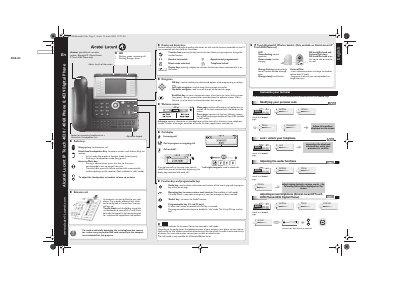

Alcatel-Lucent IP Touch 4068 Telephone User Manual - cover page
Brand
Alcatel-Lucent
Document type
User Manual
Language
English
Pages
2
File format
PDF
File size
683 KB
Published
16 November, 2026
Updated
16 November, 2026
Model
4068
MD5 checksum
94A79CE3C697471CDFC0688B0789DE91

About this manual

This document provides instructions for the Alcatel-Lucent IP Touch 4068 telephone and its optional Bluetooth wireless handset. It details the functions of various keys, including the hang-up key, hands-free key, and intercom/mute key, as well as how to adjust volume and use the extension unit. The guide explains the operation of the LED indicators for incoming calls and alarms, and describes the alphabetic keypad and display functions.

What's inside

  • Audio keys
  • Extension unit
  • LED indicators
  • Alphabetic keypad
  • Display and display keys
  • Navigation
  • Function keys
  • IP Touch Bluetooth Wireless handset
  • Customization
  • Making and receiving calls

Frequently asked questions

What is the maximum Specific Absorption Rate (SAR) value for the head of the Alcatel-Lucent IP Touch 4068 Phone?

The SAR (Head) value measured is less than 0.0025 W/kg.

How many volume levels are available when using the Alcatel-Lucent IP Touch 4068 Bluetooth wireless handset?

You can change the handset volume level to 3 levels using short successive presses.

What happens to pre-programmed function keys when the telephone is in 'safe' mode?

Pre-programmed function keys are disabled in 'safe' mode.

Download PDF (683 KB)

More Alcatel-Lucent Manuals


View all Alcatel-Lucent manuals →