
A guide for joining and participating in Zoom meetings on an iPhone, covering app usage, etiquette, and features like chat and raising hands.
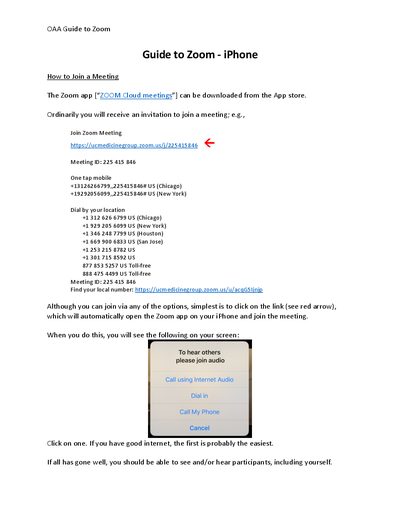
This document provides instructions on how to join a Zoom meeting using an iPhone. It details the process of downloading the app, clicking a meeting link, and entering the meeting interface. The guide explains how to use the one-tap mobile dialer and finding local numbers for joining via phone.
You can join by clicking on the meeting link, which will automatically open the Zoom app, or by dialing the provided phone number.
You should mute your microphone when you are not actually speaking to avoid disturbing other participants.
Touch the three dots on the right to bring up additional options, then touch the 'Raise Hand' button and wait to be called.