
Whirlpool refrigerator quick start guide covering Smart Display, 6th Sense Fresh Control, fan, Fast Cool, Vacation mode, temperature settings, and alarms.
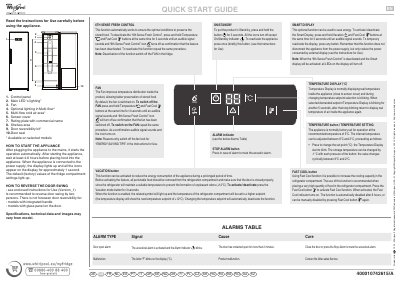
This Whirlpool quick start guide describes the control panel and operating functions of a refrigerator with an optional Smart Display. It covers turning the appliance on or into standby, activating or deactivating the Smart Display, 6th Sense Fresh Control, the fan, Fast Cool, Vacation mode, and temperature settings.
The guide also gives starting instructions, notes on reversing the door swing, and an alarms table for door-open and malfunction signals. It states that specifications, technical data, and images may vary by model.
| Recommended temperature setting | 5°C |
|---|---|
| Adjustable refrigerator temperature range | 8°C to 2°C |
| Vacation mode refrigerator setpoint | +12°C |
| Fast Cool automatic duration | 6 hours |
| Waiting time before placing food | at least 4-6 hours |
Press and hold the Vacation and Fast Cool buttons at the same time for 3 seconds until an audible signal sounds. To temporarily reactivate the display, press any button.
The refrigerator is normally factory-set to 5°C, and the internal temperature can be adjusted between 8°C and 2°C.
Fast Cool is automatically disabled after 6 hours, or it can be manually disabled by pressing the Fast Cool button again.
Close the door or press the Stop Alarm button to mute the acoustical alarm.