
Quick installation guide for the TYAN FT48A-B7070 server motherboard, covering system integration, component installation, and hardware requirements.
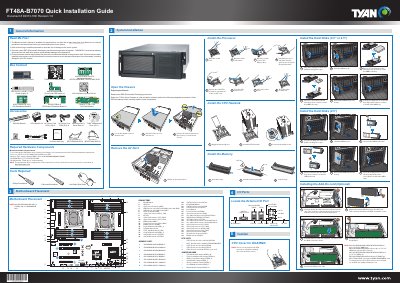
This document serves as a quick installation guide for the TYAN FT48A-B7070 server motherboard. It provides essential instructions for motherboard placement, CPU installation, memory installation, hard disk installation, and other system integration procedures. The guide also lists the required tools and minimum hardware requirements to avoid integration difficulties.
| Processor Support | Intel® Xeon® E5-2600 v3(Haswell-EP)series CPU |
|---|---|
| Memory Type | 288-pin DDR4 1.2V 2133 MHz RDIMM/UDIMM/LRDIMM |
| Hard Disk Drives | 2.5”/3.5”SATA/SAS HDD |
| Rack Mount Kit | FT48A 4U, 19” rack mountable |
| GPU Support | NVIDIA K40/K80 GPU cards |
The required tools include a Phillips Screwdriver, an Anti-Static Wrist Strap, and a Flat-head Screwdriver.
The Barebone User's Manual is available for download from the TYAN website at http://www.tyan.com.
Users should exercise normal ESD (Electrostatic Discharge) procedures, wear gloves and an anti-static wrist strap, and refer servicing to qualified personnel.