
A brief guide for installing TG-NET network hardware such as switches, routers, and firewalls.
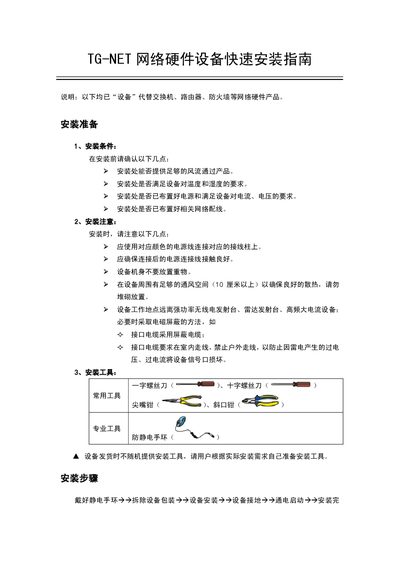
This guide explains the preparation steps required before installing TG‑NET network devices, including checking ventilation, temperature, humidity, power supply, and network cabling. It also lists the recommended tools and safety precautions such as using shielded cables and keeping the device away from strong RF sources.
Installation procedures cover unpacking, mounting the device in a 19‑inch rack, on a wall, or on a workbench, grounding the chassis, connecting power, and performing initial device debugging. The guide finishes with power‑on verification and notes on optional expansion cards. This manual is written in Chinese.
| Ventilation clearance | ≥10 cm |
|---|---|
| Rack compatibility | 19‑inch EIA standard |
A flat‑head screwdriver, Phillips screwdriver, needle‑nose pliers, diagonal pliers, and an anti‑static wrist strap are recommended.
At least 10 cm of free space should be left around the device to ensure adequate ventilation.
The box contains one complete unit, a warranty card, a user‑manual CD, a power cable, mounting brackets, a hanging ear, screws, and a console cable.
After connecting the power cable and turning on the outlet, the Power or PWR indicator on the front panel should light up.