
This guide covers setting up the Tenda Mesh3f whole home mesh system, connecting nodes to power and internet, using the mobile app for management, and…
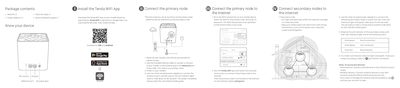
The document provides instructions for unpacking and installing the Tenda WiFiAC1200 Whole Home Mesh System (Model: Mesh3f). It details how to connect the primary node to a modem via Ethernet, power on the system, and wait for the startup sequence indicated by LED lights. The guide explains that the first node set up functions as the primary node.
Run Tenda WiFi App, tap Settings in the lower-right corner, tap Wireless Settings, change your SSID and password, and tap Save.
With nodes powered on, hold the RST button of your primary node down using a paper clip for about 6 seconds until the LED indicator blinks fast.