
User guide for Tenda AX3006 Wi-Fi 6+ router covering setup, e-Link mesh, troubleshooting, and warranty details.
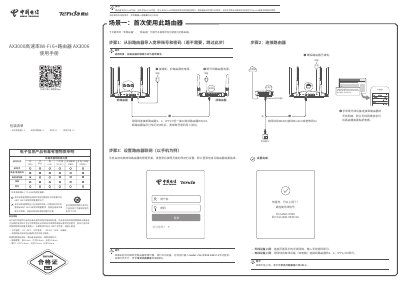
This manual guides users through installing and configuring the Tenda AX3006 router. It covers initial setup, mesh networking with e-Link, and troubleshooting common issues like login failures or connectivity problems. The document also includes warranty information and technical specifications for the device.
The router supports dual-band Wi-Fi (2.4G and 5G), WPS for quick setup, and can be used as a standalone router or extended via mesh networking. Environmental and safety guidelines are provided, including operating temperature and humidity ranges, and material compliance with GB/T 26572 standards. This manual is written in Chinese.
| Operating Temperature | -5℃~45℃ |
|---|---|
| Operating Humidity | (10~95)%RH, no condensation |
| Power Supply | Use included power adapter |
| Wireless Standards | Wi-Fi 6+ |
Open a browser and enter router.ctc/ or 192.168.2.1. If not auto-redirected, manually input the address.
Check if the WAN port is connected to the modem, verify login credentials, and ensure the router's wireless settings are correct.
Hold the Reset button for 8 seconds until the indicator flashes orange.
Reset the sub-node to factory settings by holding the Reset button for 8 seconds.