
Overview of hardware installation for Sun Storage 6580 and 6780 rack-ready arrays, from rack preparation to power-on and management software.
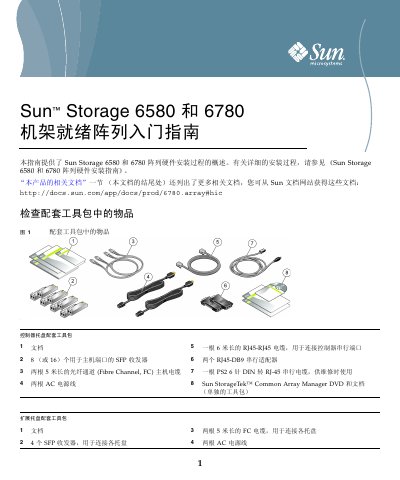
This guide provides an overview of the hardware installation process for Sun Storage 6580 and 6780 rack-ready arrays. It covers kit contents, rack preparation, controller and expansion tray installation, tray cabling, power cabling, host connections, power-on, and management software installation.
It also lists related Sun documents and gives the default controller IP addresses: 192.168.128.101 for controller A and 192.168.128.102 for controller B. This manual is written in Chinese.
| Controller A default IP address | 192.168.128.101 |
|---|---|
| Controller B default IP address | 192.168.128.102 |
| Tray link rate for mixed drive speeds | 2 Gb/s |
Controller A has the default IP address 192.168.128.101.
Controller B has the default IP address 192.168.128.102.
Follow the instructions in the Sun Storage 6580 and 6780 Array Hardware Installation Guide to configure them manually.
Install Sun StorageTek Common Array Manager version 6.2 or later on the management host.