
Key facts
- Brand
- Sun
- Model
- 6580 and 6780
- Category
- Disk Array
- Industry
- Computers
- Documents
- 2
- Languages
- ZH
- Last added
- 2026-11-17
Start here
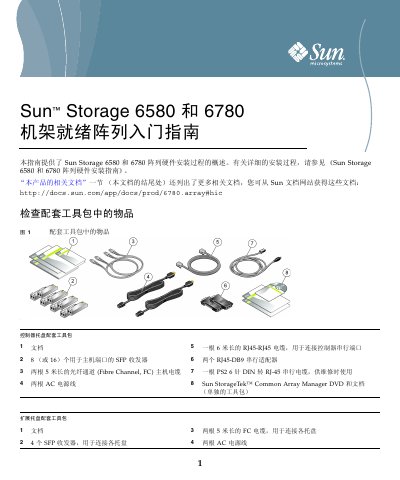
Sun Storage 6580 and 6780 Rack-Ready Array Getting Started Guide
This guide provides an overview of the hardware installation process for Sun Storage 6580 and 6780 rack-ready arrays. It covers kit contents, rack preparation, controller and expansion tray installation, tray cabling, power cabling, host connections, power-on, and management software installation.
It also lists related Sun documents and gives the default controller IP addresses: 192.168.128.101 for controller A and 192.168.128.102 for controller B. This manual is written in Chinese.
Sun 6580 and 6780 specifications
| Controller A default IP address | 192.168.128.101 |
|---|---|
| Controller B default IP address | 192.168.128.102 |
| Tray link rate for mixed drive speeds | 2 Gb/s |
Source: Sun Storage 6580 and 6780 Rack-Ready Array Getting Started Guide
All Sun 6580 and 6780 documents by type
The shortest path to a working setup, usually only a few pages.
Mounting, wiring and first power-up. Read it before the hardware goes in.
Questions answered in these manuals
What is the default IP address of controller A?
Controller A has the default IP address 192.168.128.101.
From: Sun Storage 6580 and 6780 Rack-Ready Array Getting Started Guide
What is the default IP address of controller B?
Controller B has the default IP address 192.168.128.102.
From: Sun Storage 6580 and 6780 Rack-Ready Array Getting Started Guide
What is the default IP address for Controller A when first powered on?
The default IP address for Controller A is 192.168.128.101.
What is the default IP address for Controller B when first powered on?
The default IP address for Controller B is 192.168.128.102.