
The SOYAL AR-829E Access Control System User Manual provides installation, wiring, configuration, and operation instructions.
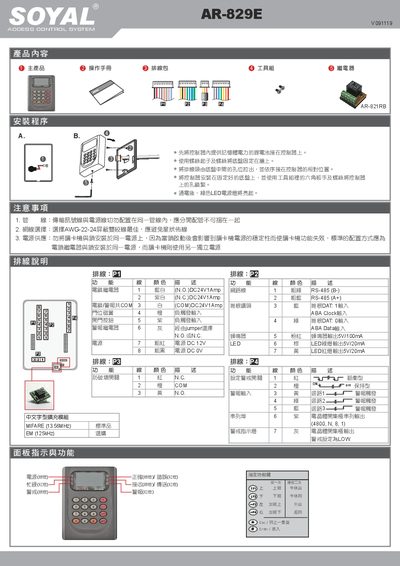
This manual explains how to install the AR-829E controller, connect the supplied wiring harness, and power the unit with a 12 V DC battery. It details the placement of the chassis on the wall, connection of relay modules, locks, readers, and alarms, and shows the LED status indicators for power, busy, alarm, and warning states.
The guide also covers software configuration, including entering edit mode, setting administrator, alarm, and access passwords, defining user IDs, and configuring single‑ or multi‑floor access. It describes RS‑485 communication settings, MIFARE and EM card compatibility, and how to adjust language and system parameters via the toolbox. This manual is written in Chinese.
| Power Supply (controller) | 12 V DC |
|---|---|
| Communication interface | RS‑485 (A+, B-) |
| Supported card types | MIFARE 13.56 MHz, EM 125 kHz |
| Baud rate | 4800 bps |
The default password is 123456.
Press the edit button and input the password (default 123456) within 30 seconds; otherwise the device exits edit mode automatically.
The controller uses a baud rate of 4800 bps.