
Soyal AR-327H / AR-727H is a metal touch button access control controller. It can be authenticated by RFID card or digital password.
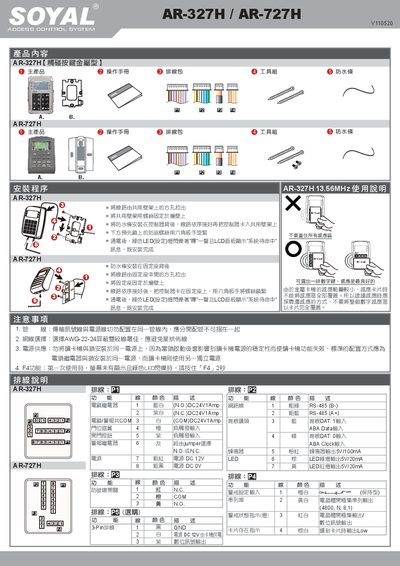
This manual provides step‑by‑step instructions for installing the Soyal AR‑327H/AR‑727H liquid‑crystal display access controller, including mounting, waterproof strip attachment, and power connection. It also details wiring diagrams, LED indicator meanings, and safety precautions.
The document explains how to manage cards, set passwords, configure alarm and digital signal modes, and adjust system parameters such as RS‑485 communication and zone settings. Troubleshooting tips and FAQ sections help resolve common issues during operation. This manual is written in Chinese.
| Power supply (N.O. contact) | DC 24 V, 1 A |
|---|---|
| Power supply (N.C. contact) | DC 24 V, 1 A |
| LED output voltage | 5 V, 20 mA |
| RS‑485 interface | B‑ and A+ lines |
Mount the controller on the wall, fix the waterproof strip behind the controller, connect the wiring in order, then lock the controller into the mounting bracket with a hex key.
Enter the edit mode, select the appropriate option (e.g., "Add Card" or "Delete Card"), input the user address and card ID, then confirm to complete the operation.
In edit mode, choose the alarm password option, enter a 4‑digit password (default 1234), then save; similarly set the request password with a 4‑digit code (default 4321).