
User manual for the Snap-on TPMS5 tool covering sensor verification, programming, relearning, settings, history, training, and WiFi updates.
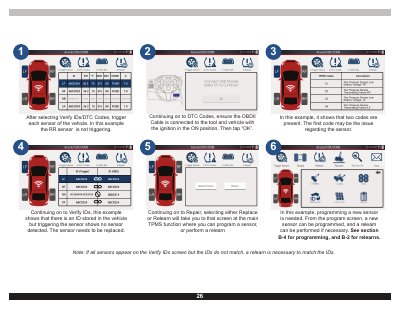
This manual provides instructions for using the Snap-on TPMS5 tool to verify IDs and DTC codes, trigger sensors, program new sensors, and perform relearn procedures. It details how to navigate the main functions, including settings for language, units, and WiFi connectivity, as well as how to view job history and access the built-in training and troubleshooter modes.
The tool supports over 10 languages, including English, Spanish, and French.
Connect the tool to a WiFi network via Settings, then select Update from the Main Menu to download and install the latest version.