
Russian quick installation guide for the Schneider Electric Conext Gateway communication module, covering safety, connections, mounting, power-up, and web…
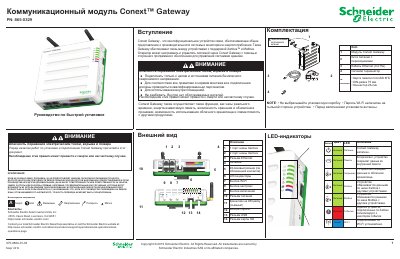
Conext Gateway is a Schneider Electric multifunction communication device that provides an overview of system performance and energy monitoring and connects Xanbus and Modbus devices. This Russian quick installation guide covers safety warnings, package contents, device layout and LEDs, network and Internet connections, connector pinout, location and mounting, power-up, and web-based management.
It also describes Xanbus network rules, Ethernet and router requirements, 26-pin connector assignments, cable length limits, DIN-rail mounting, Wi-Fi access point setup, and remote firmware installation. The guide states initial login credentials and password-change requirements for the web interface. This manual is written in Russian.
| Xanbus network maximum length | 40 m |
|---|---|
| Router to gateway maximum cable length | 100 m |
| Modbus master to gateway maximum cable length | 50 m |
| Wire gauge for 26-pin connector | 16-24 AWG |
| Included memory card | microSD 8 GB |
| Part number | 865-0329 |
| Supported computer operating systems | Microsoft Windows 7 or later; Mac OS X 10.4.8 or later |
The initial password is Admin123, and it must be changed immediately after first login.
Enter https://191.168.100.1 in the browser address bar.