
This manual provides instructions for assembling, using, and fixing the S102 microscope, including its use as a webcam and on production lines.
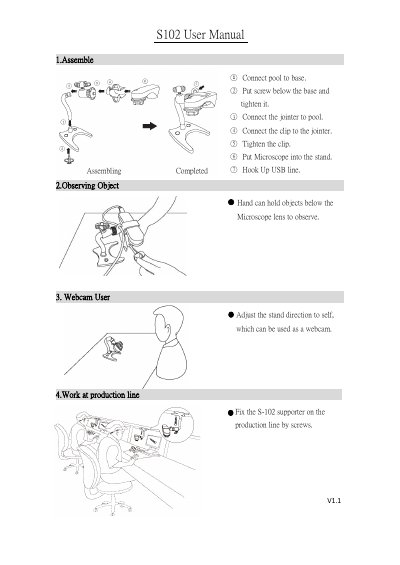
This document is the user manual for the S102 microscope. It covers the assembly process, which involves connecting the pool to the base, attaching the jointer and clip, and placing the microscope into the stand. It also details how to hook up the USB line for observation.
Connect the pool to the base, attach the jointer and clip, place the microscope in the stand, hook up the USB line, and fix the supporter on the production line.
It is used to observe objects held by hand below the lens and can function as a webcam.