
Ruijie RG-EW1800GX PRO Router Quick Start Guide

This quick start guide for the Ruijie RG-EW1800GX PRO router covers setup, Wi-Fi configuration, one-click pairing, and warranty information.
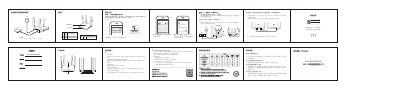

Ruijie RG-EW1800GX PRO Router Quick Start Guide - cover page
Brand
Ruijie
Category
Router
Document type
User Manual
Language
Chinese
Pages
1
File format
PDF
File size
2 MB
Published
12 October, 2026
Updated
12 October, 2026
MD5 checksum
98A64644F6DB3D489AAA822F846F0E10

About this manual

This document is a quick start guide for the Ruijie RG-EW1800GX PRO Wi-Fi 6 router. It provides instructions on connecting the device, setting up the internet connection, and configuring Wi-Fi settings. The guide also explains the 'One-Click Easy Link' feature for expanding the network with additional routers. This manual is written in Chinese.

What's inside

  • Product Appearance
  • Item List
  • Common Questions
  • Setting Up Internet
  • One-Click Easy Link
  • Warranty Information
  • After-Sales Policy
  • Resetting the Router
  • Device Management
  • Indicator Lights

Frequently asked questions

How long does it take for the router to start up?

The router takes about 2-3 minutes to start up after connecting the power cable and network cable.

What is the default Wi-Fi signal name?

The default Wi-Fi signal is named '@Ruijie-sXXXX'.

How do I reset the router to factory settings?

Press and hold the Reset button on the back of the router for more than 3 seconds while it is powered on.

What is the maximum number of routers that can be paired?

The system supports a maximum of 5 routers in a 1+4 configuration.

Download PDF (2 MB)

More Ruijie Manuals


View all Ruijie manuals →