
Chinese step-by-step quick setup guide for the Ruckus Wireless ZoneFlex 7372-E 802.11n Wi-Fi access point: connecting, configuring wireless settings and…
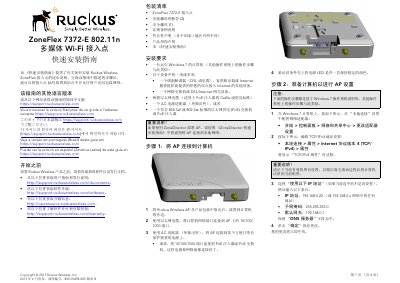
This Simplified Chinese quick setup guide from Ruckus Wireless describes how to install the ZoneFlex 7372-E 802.11n multimedia Wi-Fi access point step by step. It lists the package contents and installation requirements, then walks through connecting the AP to a Windows 7 computer over its 10/100/1000 port, preparing the computer's TCP/IPv4 settings, logging in to the AP web interface at https://192.168.0.1, and customizing wireless settings such as channel, country code, external antenna gain and SSID.
The guide then explains how to place the AP and connect it to the network, verify the installation by joining the configured wireless network, and lists the default AP settings for reference. An optional mounting section covers attaching the AP to a flat wall or ceiling with the supplied screws and to a T-bar ceiling grid with the T-bar clips and security screw, plus sources for further documentation. This manual is written in Chinese.
| Product | ZoneFlex 7372-E 802.11n multimedia Wi-Fi access point |
|---|---|
| Ethernet port | 10/100/1000 port |
| Power over Ethernet | 802.3af or 802.3at compliant PoE switch or PoE injector |
| Default management IP address | 192.168.0.1 |
| Default login | Username super, password sp-admin |
| Default SSIDs | Wireless1—Wireless8 (2.4 GHz radio); Wireless9—Wireless16 (5 GHz radio) |
| Default security | Open, no encryption |
| Antenna connectors | RP-SMA connectors, each a dual-band 2.4 GHz and 5 GHz spatial stream |
| Certified antenna kits | 911-0303-VP02 (articulating antenna pair); 911-0505-DP01 (dual-stream sector antenna panel) |
| Flat-surface mounting hole spacing | Approximately 3.25" (82.6 mm) apart; 5 mm drill bit, about 25 mm deep |
Connect to the AP over Ethernet, open a web browser and go to https://192.168.0.1. On the Ruckus Wireless Admin login page enter username super and password sp-admin.
The default management IP address is 192.168.0.1.
The package contains the ZoneFlex 7372-E access point, mounting screws and anchors (2), a security screw (1), a regulatory statement, a declaration of conformity, a product warranty statement and this Quick Setup Guide.
You can use an AC power adapter (sold separately) or an 802.3af/802.3at compliant PoE switch or PoE injector connected to the 10/100/1000 port.