
Installation guide for the Prolific RPC Series USB-to-Serial cable on Windows 7.
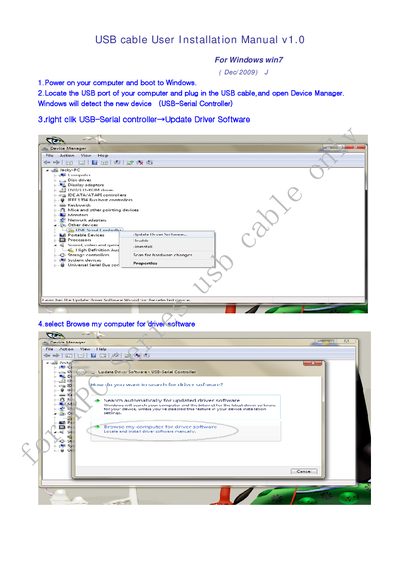
This manual provides step‑by‑step instructions for installing the Prolific RPC Series USB‑to‑Serial cable on a Windows 7 computer. It covers connecting the cable, locating the device in Device Manager, and updating the driver.
After the driver is installed, the guide explains how to verify the installation by checking that a Prolific USB‑to‑Serial COM port appears in the system.
| Supported Operating System | Windows 7 |
|---|---|
| Interface | USB |
| Device type | USB‑to‑Serial controller |
Open Device Manager, right‑click the USB‑Serial controller, choose Update Driver Software, browse to the Windows 7 driver folder, and click Next to install.
Check Device Manager for a Prolific USB‑to‑Serial Comm Port (COM *) entry, which indicates the driver was installed and the port assigned.