
This guide explains how to connect Pro-face GP series HMIs with Yaskawa VS606V7 inverters via an extended serial port using RS-422 and COM1/COM2 protocols.
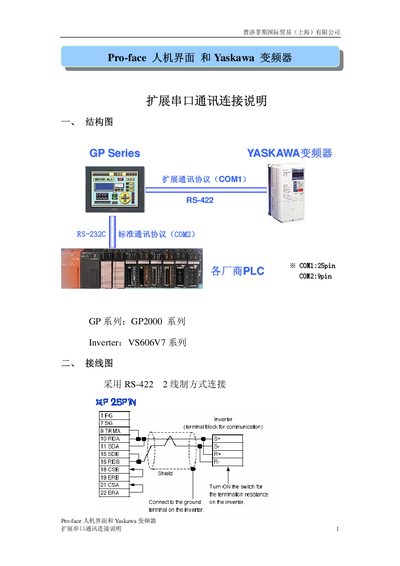
This document provides connection instructions for linking a Pro-face GP Series Human Machine Interface (HMI) with a Yaskawa VS606V7 series inverter. It details the hardware setup, including the use of an RS-422 2-wire configuration and specific communication protocols designated as COM1 and COM2.
The guide covers software configuration steps for both the HMI and the inverter parameters. It includes a list of internal addresses available on the inverter for monitoring and control, such as run commands, frequency settings, and error states, along with instructions for writing D-Script programs to manage the communication logic. This manual is written in Chinese.
The connection uses the RS-422 2-wire method with the COM1 protocol.
The default communication speed setting is 9600bps.
The script is configured for 2 communication retry attempts.