
This guide explains how to adjust printer output quality, including settings for resolution, darkness, and color balance, as well as troubleshooting RGB and…
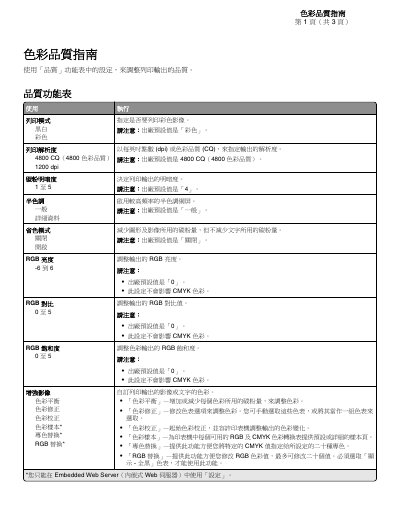
This document serves as a guide for adjusting the color quality of a printer's output. It details the settings available in the 'Quality' menu, such as print mode, resolution, darkness, and various color adjustment options like RGB brightness and saturation. The guide also explains the difference between RGB and CMYK color models and how the printer processes them. This manual is written in Chinese.
The factory default value for the print mode is 'Color'.
The factory default resolution is 4800 CQ (4800 Color Quality).
The factory default value for darkness is '4'.
The factory default value for halftone is 'General'.