
User manual for the Polar S625X running computer and S725X cycling computer: settings, heart rate measurement, exercise recording, files and tests.
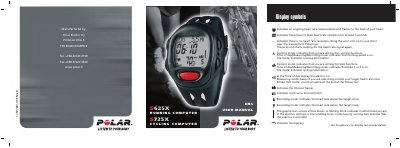
This is the English user manual for the Polar S625X running computer and the Polar S725X cycling computer. The manual states that it contains user information for both Polar S625X and Polar S725X, with running-specific information in blue text and cycling-specific information marked with a grey background. It explains the parts of the running/cycling computer, the buttons and their functions, and how to get started.
| Recording rate options | 5 sec, 15 sec, 60 sec |
|---|---|
| Time until heart rate appears after starting | about 15 seconds |
| S725X compatible sensors | Polar cycling sensors (speed, distance, cadence and Power output) |
| Contents of the S625X set | Polar S1 Foot Pod |
Place the transmitter around your chest and wet the electrodes, place the wrist unit on your wrist, then press and hold the OK button. The stopwatch and exercise recording start.
Press the stop button to stop the stopwatch and calculations, then press it again to return the wrist unit to the Time of day display.
Press the OK button twice, after which the Time of day display appears. This is a one-off procedure and the wrist unit cannot be turned off afterwards.
The S625X set contains the Polar S1 Foot Pod for running speed and distance, while the S725X set contains the Polar Bike Mount and Polar Speed Sensor for cycling.