
Chinese quick-start guide for the Polar Ignite 3 fitness watch, covering setup, training, GPS, charging, care, and Polar Flow sync.
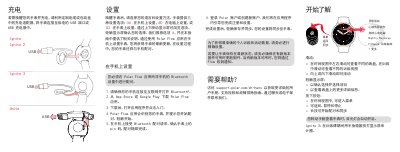
This two-page getting started guide covers the Polar Ignite 3 fitness watch and compatible models. It explains phone setup with the Polar Flow app, charging, navigation gestures, training, GPS use, wearing, care, and syncing.
It also lists model codes and radio specifications, and directs users to support.polar.com for more detailed manuals, support videos, and troubleshooting. This manual is written in Chinese.
| Radio frequency band | 2.402-2.480 GHz ISM band |
|---|---|
| Maximum radio power | 5 mW |
| Model code | Ignite 3: 5J |
Download the Polar Flow app, open it and tap Get started; the app recognizes the watch, then accept the Bluetooth pairing request and confirm the PIN on the watch. Pairing must be done in the Polar Flow app, not in the phone's Bluetooth settings.
Connect the watch to a powered USB port or USB charger using the custom cable or charging adapter from the box. Make sure the charging contacts are dry and clean before charging.
Wear and tighten the watch, press the button to open the main menu, tap Start training, swipe to choose a sport, wait for the heart rate to appear in the green circle, then tap the display.
Go outdoors away from tall buildings and large trees, keep the watch still with the display facing up, and wait for the GPS icon circle to turn green and the watch to vibrate.