
The Peavey 6505 MH Operating Manual provides setup, controls, safety and wiring instructions for the 20 W tube guitar amplifier.
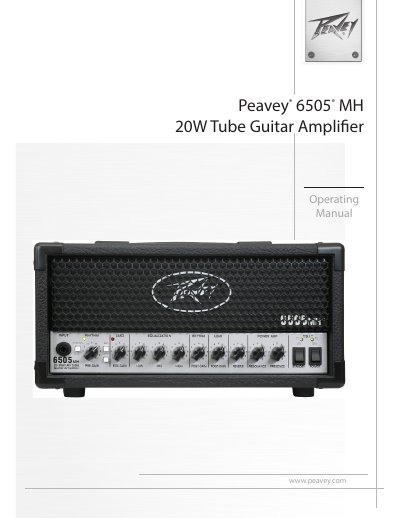
This manual covers the Peavey 6505 MH, a 20 W all‑tube guitar amplifier that delivers authentic tube tone in a compact micro‑head format. It explains safety precautions, power requirements, and the functions of the front‑panel controls, footswitches, and rear‑panel connections.
Key sections include detailed descriptions of the front‑panel channel and gain switches, the power‑on and standby sequence, the impedance selector, speaker defeat and headphone outputs, the MSDI and USB recording interfaces, and the built‑in effects loop. The specifications page lists electrical and mechanical data, while the warranty section outlines coverage for U.S. and Canadian customers.
| Rated Power | 20 W (rms) into 8 Ω or 16 Ω |
|---|---|
| Power Consumption | 90 W, 50/60 Hz, 120 VAC |
| Tube Complement | 2 × EL84, 3 × 12AX7/ECC83 |
| Dimensions (H × W × D) | 7.25" × 14.00" × 7.75" (185 mm × 356 mm × 197 mm) |
| Weight | 17 lb (8 kg) |
| Signal‑to‑Noise Ratio | Better than 74 dB |
| MSDI Output Impedance | 600 Ω (quasi‑balanced) |
| USB Output Level | -6 dB (±3 dB) at full power |
| Power Attenuator Settings | 100 % (20 W), 25 % (5 W), 5 % (1 W) |
Make sure both the POWER and STANDBY switches are in the down position, flip POWER to ON, wait at least one minute for the tubes to warm up, then set STANDBY to ON before playing.
Connect a standard USB‑type A cable from the amp’s USB output to a computer; the amp appears as an audio device with no drivers required, and the level depends on the amp’s controls.