
Installation instructions for the MS Sedco microStar M flush mount microwave motion sensor, covering wiring, settings, antennas, and pattern adjustment.
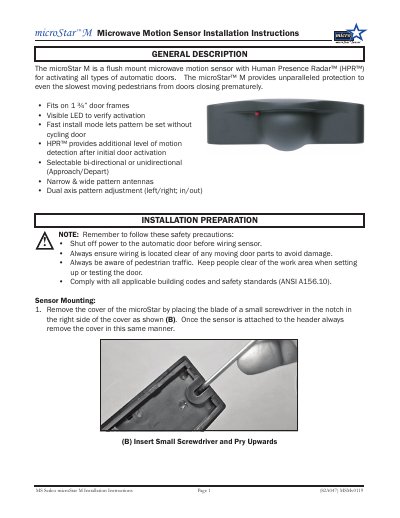
The microStar M is a flush mount microwave motion sensor with Human Presence Radar (HPR) for activating automatic doors. It fits on 1 ¾-inch door frames and has a visible LED to verify activation. It supports selectable bi-directional or unidirectional approach/depart operation and uses narrow and wide pattern antennas with dual-axis pattern adjustment.
The document gives installation preparation and safety precautions, sensor wiring, and settings made on the main circuit board via dip switches. It explains HPR, failsafe behavior, patch antenna selection, range and pattern adjustment, install mode walk testing, cover replacement, optional accessories and dimensions.
| Technology | Human Presence Radar™ (HPR™) |
|---|---|
| Mounting | Fits on 1 ¾” door frames |
| Power supply | 12-24 V AC/DC |
| Detection modes | Bi-directional or unidirectional (Approach/Depart) |
| Antennas | Narrow and wide pattern antennas |
When dipswitch #4 is ON, HPR provides enhanced motion detection to protect slower moving pedestrians.
With the output wired N.O. and dipswitch #5 OFF, failsafe is enabled and the door will open in the event of power failure.
The Wide antenna is typically used on sliding or bifolding automatic doors.
Press the Reset button, then press and hold the Install button for 3 seconds; the LED flashes orange to confirm.