
The Mitsubishi SC-09 programming cable connects RS232 to RS422 for Mitsubishi PLCs, featuring ESD protection, hot‑plug capability, and a 3 m shielded cable.
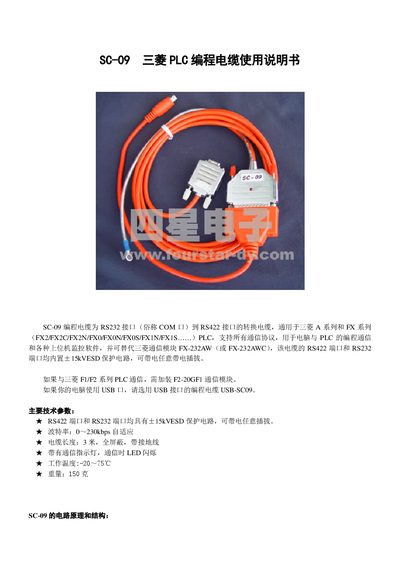
The SC-09 cable converts a PC's RS232 (COM) port to the RS422 interface used by Mitsubishi A‑series and FX‑series PLCs. It supports all communication protocols and can replace the Mitsubishi FX‑232AW/FX‑232AWC module. For USB‑only computers, the USB‑SC09 version should be used.
Key technical features include ±15 kV ESD protection on both ports, hot‑plug capability, adaptive baud rates from 0 to 230 kbps, a 3 m fully shielded cable with grounding, a communication LED, operating temperature from –20 °C to 75 °C, and a weight of 150 g. The manual explains how to connect the DB9F RS232 plug to a PC, set the COM port, and attach the appropriate PLC connector (MD8M circular or DB25M rectangular). This manual is written in Chinese.
| ESD protection | ±15 kV on RS422 and RS232 ports |
|---|---|
| Baud rate | 0‑230 kbps adaptive |
| Cable length | 3 m, fully shielded with grounding wire |
| Communication indicator | LED flashes during communication |
| Operating temperature | -20 °C to 75 °C |
| Weight | 150 g |
Insert the DB9F RS232 plug into the PC's serial port, set the COM port in the software, and connect the appropriate PLC plug – MD8M circular for FX2N/FX0/FX1N PLCs or DB25M rectangular for FX2/FX2C/A‑series PLCs.
Yes, use the USB‑SC09 version of the programming cable for computers that only have USB ports.
Both the RS422 and RS232 ports have built‑in ±15 kV ESD protection, allowing hot‑plugging while the cable is powered.