
The Makeblock XY Plotter V2.0 Laser Engraving Upgrade Kit User Manual provides assembly, software installation, operation instructions, and FAQs.
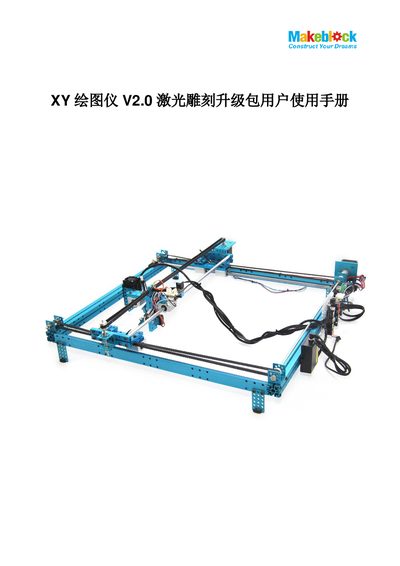
The XY Plotter V2.0 Laser Engraving Upgrade Kit adds a 405 nm blue‑violet semiconductor laser module to the existing XY Plotter V2.0 platform. Two power options are offered (200‑250 mW or 450‑500 mW) and the kit enables engraving or cutting of wood, opaque acrylic, paper, foam and similar low‑melting‑point materials.
The manual guides users through mechanical assembly, electrical wiring, firmware flashing, and software setup. It also describes the laser control software features, provides usage examples with recommended settings, and includes a FAQ section that addresses common troubleshooting topics. This manual is written in Chinese.
| Laser wavelength | 405 nm |
|---|---|
| Laser power options | 200‑250 mW or 450‑500 mW |
| Working voltage | DC 12 V |
| Frequency | 50/60 Hz |
| Maximum engraving area | 300 mm × 350 mm |
| Engraving precision | ≥ 0.1 mm |
| Compatible materials | Wood, opaque acrylic, colored paper, cardboard, foam board |
Because the algorithm for curve parsing is complex, so opening DXF files can be slow.
Visit the Makeblock website and follow the provided links to download the resources.
Upload your work to the Makeblock showcase forum.