
The Makeblock Laserbox MLP-K503-40W User Manual provides safety guidelines, setup steps, operation instructions, and warranty information.
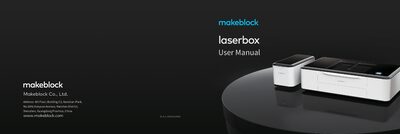
This manual explains how to safely set up and operate the Makeblock Laserbox MLP‑K503‑40W laser cutter. It includes safety precautions, a list of supplied items, and detailed instructions for connecting accessories and a computer.
Key sections cover quick operation, material requirements, indicator status, and warranty details, helping users start cutting and engraving projects while maintaining safe operation.
| Power Input | 100‑120VAC, 60 Hz |
|---|---|
| Laser Power | 350 W |
| Storage Temperature | 5 °C – 30 °C |
| FCC ID | 2AH9Q‑MLNK503 |
| Maximum Cutting Dimensions | 500 mm (L) × 300 mm (W) × 22 mm (T) |
Read all safety protocols, inspect the unit for damage, keep the workspace clean, never operate with the lid open, and avoid cutting PVC or other chlorine‑containing materials.
You can connect via USB, Wi‑Fi, or Ethernet; for USB, plug the cable, open the software, select “Connect to a new Laserbox,” and follow the prompts.
Pressing the power button starts the laser head, which automatically resets and calibrates; the annular indicator turns solid white when ready.