
Key facts
- Manuals
- 4
- Languages
- ZH · EN
- Last added
- 2026-10-03
Featured Makeblock manuals
Makeblock MCR-K01-01 Educational Robot User Manual
The Makeblock MCR-K01-01 (程小奔) is a programmable educational robot that includes a chassis, controller, color‑recognition cards, Micro USB cable and accessories. It works together with the 小程 controller to form the complete system.
To get started, power on the robot by pressing the power button; the indicator light will turn on. Charge the controller via the Micro USB cable or a power adapter, then connect it to a computer or mobile device. Use the Makeblock app or the mBlock 5 (慧编程) software to program the robot by dragging block commands and uploading them via Bluetooth. This manual is written in Chinese.
Covers: Components · Power On · Charging · Software Download · Programming · Bluetooth Connection
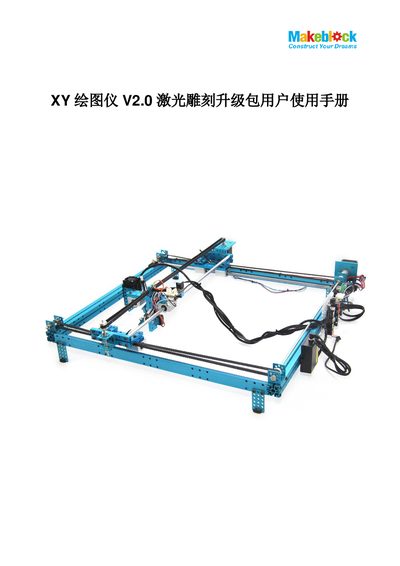
Makeblock XY Plotter V2.0 Laser Engraving Upgrade Kit User Manual
The XY Plotter V2.0 Laser Engraving Upgrade Kit adds a 405 nm blue‑violet semiconductor laser module to the existing XY Plotter V2.0 platform. Two power options are offered (200‑250 mW or 450‑500 mW) and the kit enables engraving or cutting of wood, opaque acrylic, paper, foam and similar low‑melting‑point materials.
The manual guides users through mechanical assembly, electrical wiring, firmware flashing, and software setup. It also describes the laser control software features, provides usage examples with recommended settings, and includes a FAQ section that addresses common troubleshooting topics. This manual is written in Chinese.
Covers: What is XY Plotter V2.0 Laser Engraving Upgrade Kit · Mechanical Assembly Instructions · Software Installation Guide · Laser Control Software Features and Usage · Software Usage Examples and Recommended Settings · FAQs
Makeblock Laserbox MLP-K503-40W User Manual
This manual explains how to safely set up and operate the Makeblock Laserbox MLP‑K503‑40W laser cutter. It includes safety precautions, a list of supplied items, and detailed instructions for connecting accessories and a computer.
Key sections cover quick operation, material requirements, indicator status, and warranty details, helping users start cutting and engraving projects while maintaining safe operation.
Covers: Safety First · List of Items · Meet Your Laserbox · Quick Operation Guide · Connecting a Computer · Start Cutting / Engraving
Makeblock mCreate 3D Printer & Laser Engraver User Manual
This manual begins with essential safety information, emphasizing the use of the supplied power cable, proper grounding, and protective equipment when operating the mCreate. It also outlines assembly requirements, component lists, and the correct installation of the 3D‑printing or laser head.
The guide then details software installation (Ultimaker Cura with Makeblock plugin for 3D printing, Laserbox for laser engraving), smart work‑mode recognition, step‑by‑step printing and engraving procedures, nozzle‑clog clearing methods, and warranty terms, including parts covered and service conditions. This manual is written in Chinese.
Covers: Safety First · Assembly Instructions · Software Installation · Smart Work Mode Recognition · 3D Printing Quick Guide · Laser Engraving Quick Guide
Latest Makeblock manuals
Makeblock MCR-K01-01 Educational Robot User Manual
User Manual 12 pages · 2 MB · ZHThis user manual explains the components, setup, charging, and programming of the Makeblock MCR-K01-01 educational robot.
Makeblock XY Plotter V2.0 Laser Engraving Upgrade Kit User Manual
User Manual 40 pages · 4.3 MB · ZHThe Makeblock XY Plotter V2.0 Laser Engraving Upgrade Kit User Manual provides assembly, software installation, operation instructions, and FAQs.
Makeblock Laserbox MLP-K503-40W User Manual
User Manual 20 pages · 6.5 MB · ENThe Makeblock Laserbox MLP-K503-40W User Manual provides safety guidelines, setup steps, operation instructions, and warranty information.
Makeblock mCreate 3D Printer & Laser Engraver User Manual
User Manual 18 pages · 4.9 MB · ZHThe Makeblock mCreate user manual provides safety guidelines, assembly steps, software setup, operation instructions, and maintenance procedures for the 3D…
Which document do I need?
User Manual
Day-to-day operation, settings and troubleshooting. Start here if the product is already set up.
Questions answered in Makeblock manuals
How do I turn on the robot?
Press the power button; the power indicator light will illuminate.
How can I charge the controller?
Connect the controller to a computer or power adapter with a Micro USB data cable; the charging indicator will show the status.
Why does opening a DXF file take a long time?
Because the algorithm for curve parsing is complex, so opening DXF files can be slow.
From: Makeblock XY Plotter V2.0 Laser Engraving Upgrade Kit User Manual
How can I download related materials and 3D models?
Visit the Makeblock website and follow the provided links to download the resources.
From: Makeblock XY Plotter V2.0 Laser Engraving Upgrade Kit User Manual
What safety precautions should be taken before using the Laserbox?
Read all safety protocols, inspect the unit for damage, keep the workspace clean, never operate with the lid open, and avoid cutting PVC or other chlorine‑containing materials.
How do I connect the Laserbox to a computer?
You can connect via USB, Wi‑Fi, or Ethernet; for USB, plug the cable, open the software, select “Connect to a new Laserbox,” and follow the prompts.