
The Lenovo ThinkCentre E73 user guide provides safety, setup, connection, and support information for the desktop computer.
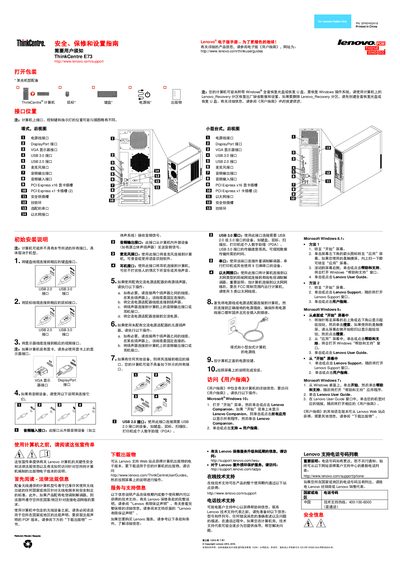
This guide covers safety and warranty information, initial installation steps, and detailed descriptions of the computer’s ports and connectors, including USB, DisplayPort, VGA, PCI‑Express slots, Ethernet, audio, and microphone jacks. It also explains how to access the electronic version of the guide and where to find warranty and support resources.
Additional sections address laser safety warnings, battery handling, environmental recycling instructions, and regulatory compliance. The manual provides step‑by‑step instructions for connecting peripherals, powering the system, and navigating the Windows‑based help resources. This manual is written in Chinese.
| USB 2.0 ports | present |
|---|---|
| USB 3.0 ports | present |
| DisplayPort interface | present |
| VGA interface | present |
| PCI Express x16 graphics slot | present |
| PCI Express x1 slot | present |
| Audio input jack | present |
| Audio output jack | present |
Visit the URL http://www.lenovo.com/thinkuserguides to view the electronic user guide.
Connect the monitor to the VGA or DisplayPort interface on the graphics card, if one is installed.
Do not remove the outer cover of laser devices and avoid looking directly at the beam, as it can emit hazardous radiation.
Warranty details are available online at http://www.lenovo.com/warranty/ and through the Lenovo Companion or Support applications in Windows.