
Lenovo ThinkSystem and System x Server Service Data Collection Guide

Step‑by‑step instructions for collecting service data from Lenovo ThinkSystem and System x servers using XClarity tools and IMM.
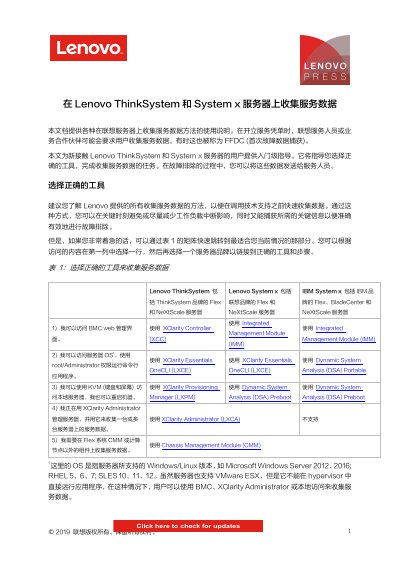

Lenovo ThinkSystem and System x Server Service Data Collection Guide - cover page
Brand
Lenovo
Document type
User Manual
Language
Chinese
Pages
14
File format
PDF
File size
1.9 MB
Published
03 October, 2026
Updated
03 October, 2026
MD5 checksum
5C889885D8457FE73DDB7552485ED201

About this manual

This guide explains how to gather first‑fault data (FFDC) from Lenovo ThinkSystem and System x servers. It helps users select the appropriate tool—XClarity Controller, XClarity Essentials OneCLI, XClarity Provisioning Manager, Integrated Management Module, Dynamic System Analysis, or Chassis Management Module—and follow the collection process.

Each tool section provides download links, login steps, and the exact menu actions needed to download service data files, which are saved as .tzz or .tgz archives for later analysis by support personnel. This manual is written in Chinese.

What's inside

  • Introduction
  • Tool selection matrix
  • Downloading the tools
  • Collecting data with XClarity Controller
  • Collecting data with XClarity Essentials OneCLI
  • Collecting data with XClarity Provisioning Manager
  • Collecting data with Integrated Management Module
  • Collecting data with Dynamic System Analysis (Preboot)
  • Collecting data with Dynamic System Analysis (Portable)
  • Collecting data with XClarity Administrator

Specifications

Supported operating systemsWindows Server 2012/2016, RHEL 5/6/7, SLES 10/11/12

Frequently asked questions

Where are the service data files saved after download?

The browser prompts you to save the .tzz or .tgz file to your workstation.

Download PDF (1.9 MB)

More Lenovo Manuals


View all Lenovo manuals →