
LaCie Rugged Thunderbolt USB-C User Manual

This manual covers setup, connection methods (Thunderbolt/USB), driver installation, formatting, and troubleshooting for the LaCie Rugged Thunderbolt USB-C…
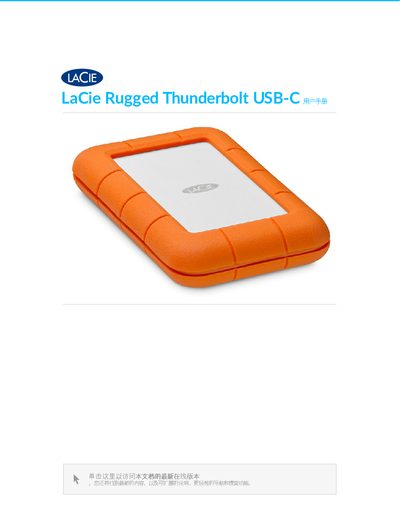

LaCie Rugged Thunderbolt USB-C User Manual - cover page
Brand
LaCie
Category
Storage devices
Document type
User Manual
Language
Chinese
Pages
23
File format
PDF
File size
724 KB
Published
13 October, 2026
Updated
13 October, 2026
MD5 checksum
8986050A0B0189727918FC4314548A3C

About this manual

The LaCie Rugged Thunderbolt USB-C is a durable external hard drive designed to withstand drops from up to 2 meters and dust/water splashes (IP54 rating). It connects to computers via three methods: an integrated Thunderbolt cable, a USB 3.1 Gen 2 (USB-C) cable, or a USB Type-A adapter cable. This manual is written in Chinese.

What's inside

  • Introduction
  • Package Contents
  • System Requirements
  • Cables and Connectors
  • Making Connections
  • Installing Drivers
  • Formatting and Partitioning
  • Safe Removal
  • Frequently Asked Questions

Specifications

IP Protection RatingIP 54
Drop Resistance Height2 meters / 6.6 feet
Minimum Available Disk Space (Recommended)600MB

Frequently asked questions

What is the minimum available disk space required?

The recommended minimum available disk space is 600MB.

Can I connect this drive to a computer with only USB 2.0 ports?

Yes, but connecting via USB 2.0 limits the transfer speed to a maximum of 480Mb/s.

Download PDF (724 KB)

More LaCie Manuals


View all LaCie manuals →