
Kramer KRT-4 Cable Retractor User Guide

This guide provides instructions for installing and using the Kramer KRT-4 Cable Retractor, covering unboxing, mounting to a TBUS unit or table, and cable…
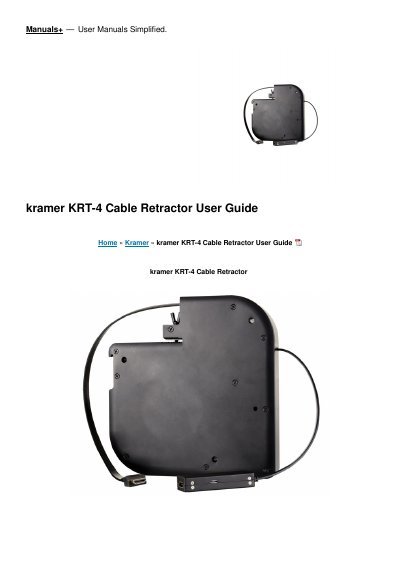

Kramer KRT-4 Cable Retractor User Guide - cover page
Brand
Kramer
Category
Other Electronics
Document type
User Manual
Language
English
Pages
7
File format
PDF
File size
498 KB
Published
14 November, 2026
Updated
14 November, 2026
Model
KRT-4
MD5 checksum
2D5B0D1F47BDA153313FA92039ECD47B

About this manual

This user guide helps you install and use the Kramer KRT-4 Cable Retractor for the first time. It covers unboxing, familiarizing yourself with the device features, and mounting options.

What's inside

  • Check what's in the box
  • Get to know your KRT-4
  • Mount KRT-4
  • Attach KRT-4 to a TBUS
  • Attach KRT-4 to the underside of a table
  • Documents / Resources

Specifications

Supported CablesHDMI, USB-C, VGA, audio (3.5mm), LAN, USB-3.0, MDP/H, 3H2, DisplayPort
Mounting Screw SizeM4x50
Minimum Table Thickness18mm

Frequently asked questions

What are the supported cable types for the KRT-4?

The KRT-4 supports HDMI, USB-C, VGA, audio, LAN, USB-3.0, MDP/H, 3H2, and DisplayPort cables.

What types of cables is the KRT-4 retractor compatible with?

The KRT-4 is available for HDMI, USB-C, VGA, audio, LAN, USB-3.0, MDP/H, 3H2, and DisplayPort cables.

What is the minimum table thickness required to mount the KRT-4?

The thickness of the table should be at least 18mm so as not to damage the table.

What screws are included in the box for attaching the retractor to a table?

The box includes 3 M4x50 screws for passing through the table screw openings.

Download PDF (498 KB)

More Kramer Manuals


View all Kramer manuals →