
Key facts
- Brand
- Kramer
- Model
- KRT-4
- Category
- Other Electronics
- Industry
- Electronics
- Documents
- 4
- Languages
- EN
- Last added
- 2026-11-14
Start here
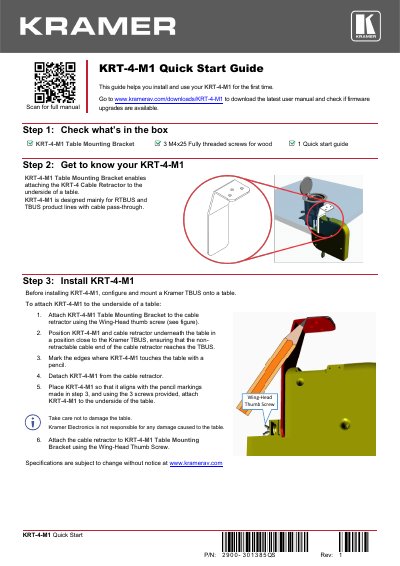
Kramer KRT-4-M1 Quick Start Guide
This guide helps you install and use your KRT-4-M1 for the first time. It includes steps to check what’s in the box, get to know the device, and install it under a table using the mounting bracket and screws. The guide also directs you to download the full user manual and check for firmware updates.
Read onlineKramer KRT-4 specifications
| Supported Cables | HDMI, USB-C, VGA, audio (3.5mm), LAN, USB-3.0, MDP/H, 3H2, DisplayPort |
|---|---|
| Mounting Screw Size | M4x50 |
| Minimum Table Thickness | 18mm |
All Kramer KRT-4 documents by type
Day-to-day operation, settings and troubleshooting. Start here if the product is already set up.
The shortest path to a working setup, usually only a few pages.
Questions answered in these manuals
What are the supported cable types for the KRT-4?
The KRT-4 supports HDMI, USB-C, VGA, audio, LAN, USB-3.0, MDP/H, 3H2, and DisplayPort cables.
What types of cables is the KRT-4 retractor compatible with?
The KRT-4 is available for HDMI, USB-C, VGA, audio, LAN, USB-3.0, MDP/H, 3H2, and DisplayPort cables.
Can the KRT-4 be installed directly on a table?
Yes, it can be attached directly to the underside of a table with a few screws.
What connector types are available for the KRT-4?
It is available in HDMI, VGA, audio (3.5mm), LAN, USB, USB-C, and DisplayPort.
What is the KRT-4-M1 designed for?
The KRT-4-M1 Table Mounting Bracket enables attaching the KRT-4 Cable Retractor to the underside of a table.
What product lines is the KRT-4-M1 mainly designed for?
It is designed mainly for RTBUS and TBUS product lines with cable pass-through.