
User manual for the Kinesis Freestyle Edge SmartSet App, covering layout remapping, macro programming, keyboard settings, and Game Mode.
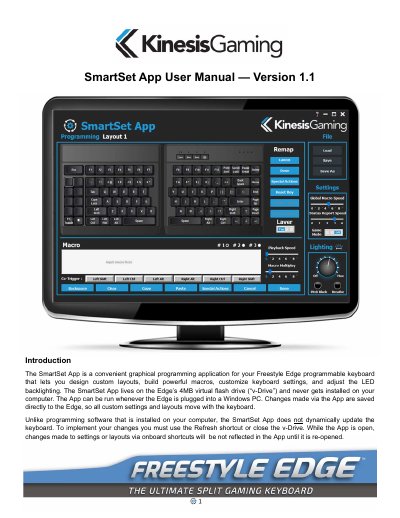
The SmartSet App is a graphical programming application for the Kinesis Freestyle Edge programmable keyboard. It lets users design custom layouts, build macros, customize keyboard settings, and adjust LED backlighting. The app is stored on the Edge’s 4MB virtual flash drive and is not installed on the computer; it can be run when the Edge is plugged into a Windows PC.
This user manual explains how to launch the app from the FS EDGE drive, view and edit layouts, remap keys, assign Special Actions, and program macros with trigger keys, playback speed, and Multiplay settings. It also covers global keyboard settings including Global Macro Speed, Status Report Speed, and Game Mode.
| Virtual flash drive capacity | 4MB |
|---|---|
| Full-size keys | 95 |
| Programmable key positions | 190 (95 keys x 2 layers) |
| Other layouts | 8 |
| Macro delay increments | 125 ms and 500 ms |
| Macro Multiplay range | 1 to 9 times |
| Global Macro Speed disable setting | 0 |
| Status Report default speed | 3 |
No. The app lives on the Edge’s 4MB virtual flash drive and is never installed on the computer.
Use the onboard shortcut SmartSet + F8 to open the v-Drive, open the FS EDGE drive in File Explorer, and double-click SmartSet App -Freestyle (Win).exe.
Click the key in the layout diagram to make it the Active Key, then type the new action or choose a Special Action, and click Done.
Use the onboard shortcut SmartSet + F11. Game Mode disables Windows key actions and the Game Mode LED illuminates.