
KB900 User Manual details the features of KB900 keyboard, including Mac/Windows/PC switching, SmartSet™ programming engine, Cherry low-force mechanical keyswitches
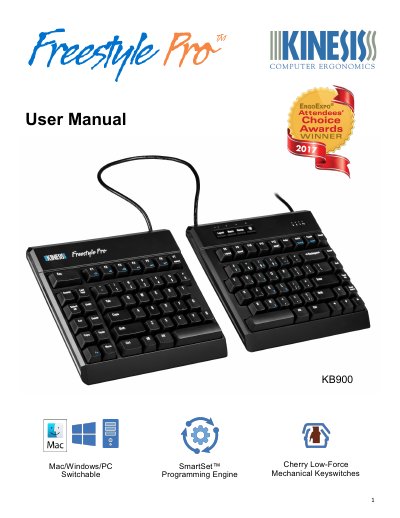
The Kinesis KB900 is a compact tenkeyless mechanical keyboard featuring Cherry MX Brown low-force switches. It supports multi-platform compatibility with Windows, Mac, Chrome OS, and Linux via its SmartSet Programming Engine.
The manual details the onboard programming capabilities, including 9 dual-layer layouts, multimedia actions, macro recording, and key remapping. It also provides instructions for using the included v-Drive app and lists compatible accessories such as Palm Supports and VIP3 Pro.
| Switch Type | Cherry MX Brown mechanical switches |
|---|---|
| Layout Design | Compact tenkeyless design with standard US ANSI key layout |
| Cable Lengths | 6' USB cable and 20" adjustable linking cable |
| Dimensions | 1.25" tall x 15.5" wide x 7.25" deep |
| Weight | 2.8 lbs |
| Onboard Memory | 4MB onboard memory (v-Drive™) |
The keyboard supports Windows 7-10, MacOS X v10.6+, Chrome OS, or Linux.
No, the keyboard does not require the installation of any special software or drivers.
It uses Premium Cherry MX Brown mechanical switches.