
The JVC GY‑HD101 camcorder user manual provides setup, operation, safety, and maintenance instructions.
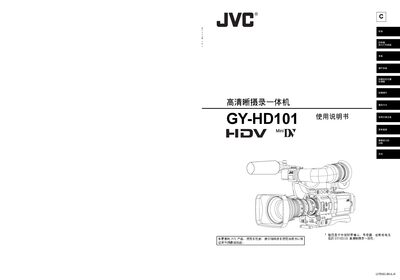
This manual covers everything needed to operate the JVC GY‑HD101 HDV/DV camcorder, including proper power requirements, environmental limits, and recommended accessories such as lenses, microphones, and battery packs. It also details the camera’s main features, menu navigation, and recording formats.
Safety precautions, regular maintenance procedures, and troubleshooting tips are provided to ensure reliable performance and longevity of the device. The document includes detailed specifications, connector pin‑outs, and instructions for using external devices and SD memory cards. This manual is written in Chinese.
| Power supply voltage | DC 7.2 V |
|---|---|
| Power consumption (recording) | ≈16.5 W |
| Dimensions (W×H×D) | 235 mm × 232 mm × 341 mm |
| Weight (including lens, battery, mic) | 3.3 kg |
| Video recording formats | HDV 720p, 720/24p, 720/25p, 720/30p, 576/50p, 480/60p |
| Audio recording format (HDV) | MPEG‑1 Audio Layer II |
| Audio recording format (DV) | 16‑bit PCM, 2‑channel, 48 kHz |
| Supported tape type | Mini‑DV (A‑marked) tapes |
Use a DC power supply between 6.5 V and 7.9 V; the device is designed for 7 V DC.
Press POWER to ON, hold the STATUS button, then navigate to OTHERS → DRUM HOUR or FAN HOUR in the TOP MENU to see the hour counters.
Run the cleaning tape every 500 hours of operation, or twice as often in low‑humidity environments.