
IR Remote Controller User Manual provides installation steps, address setting, preset point configuration, and function button explanations for Pelco-D…
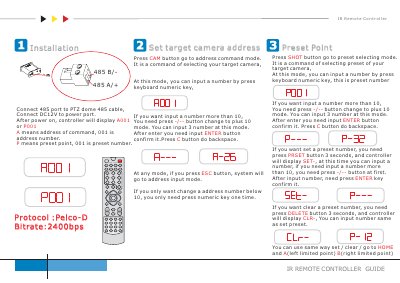
The manual describes how to connect the IR remote controller to a camera, set the camera address, and configure preset points for Pelco-D protocol control.
It also explains the numeric keypad functions, mode switching, and shortcut keys for camera movement, focus, zoom, and other operations. This manual is written in Chinese.
| Bitrate | 2400bps |
|---|---|
| Protocol | Pelco-D |
Press the button to change to address input mode.
Press the button for 3 seconds to display the reset number input.
The bitrate is 2400bps.