
ICP DAS ZT-2550/ZT-2551 ZigBee module quick start guide for package contents, configuration, power and host PC connection, testing, and troubleshooting.
ICP DAS ZT-2550/ZT-2551 is a ZigBee module. This Quick Start Guide, Version 1.2, describes the shipping package, preparing the device, configuration options and settings, and connecting power and a host PC.
It also explains how to configure ZigBee settings with the ZT Configuration Utility, test communications, and troubleshoot using technical support and LED indicator status.
| Power supply | +10 to +30 V DC |
|---|---|
| Parity | None, Odd, Even, Space and Mark |
| Data bits | 7, 8 |
| Stop bits | 1, 2 |
| Baud rate | 1200 to 115200 bps |
| Data payload | 79 bytes |
| Pan ID range | 0x0000 to 0x3FFF |
| Node ID range | 0x0001 to 0xFFF7 for a ZigBee Router; 0x0000 for a ZigBee Coordinator |
| RF channel frequency | 2405 to 2480 MHz |
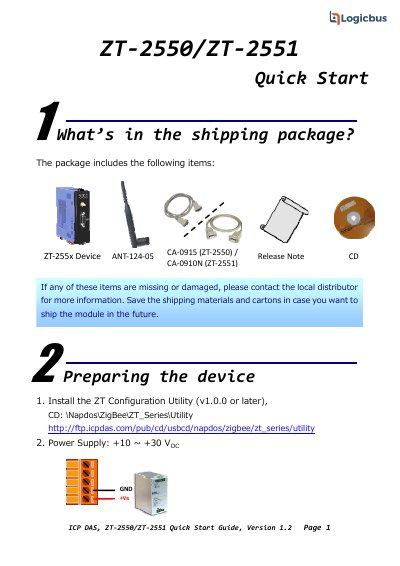
It includes a ZT-255x device, CD, ANT-124-05, Release Note, CA-0915 (ZT-2550), and CA-0910N (ZT-2551).
It requires +10 to +30 V DC.
Transparent Mode is the default application mode.
Use the DCON Utility on the host PC to search for ZT-2000 series I/O modules; finding devices means the configuration is correct.