
A reference chart that lists HP cable and port types, their uses, and example connections.
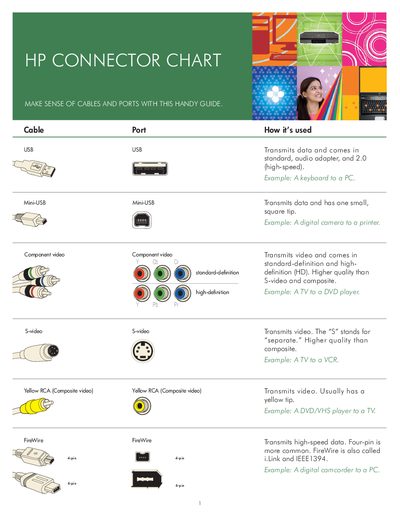
The HP Connector Chart provides a quick‑reference guide to the most common cable and port types found on HP devices. Each entry shows how the connector is used, the type of signal it carries, and a typical example of a device connection.
The chart covers USB, Mini‑USB, HDMI, DVI, VGA, FireWire, composite video, S‑Video, component video, Toslink optical, and coaxial digital audio, plus comparison tables for video and audio connections. It also points readers to HP’s website for more information.
| HDMI | Transmits and protects copyrighted digital video and audio |
|---|---|
| DVI‑D | Digital video only |
| FireWire | High‑speed data (IEEE1394, i.Link) |
FireWire (IEEE1394) cable.