
Quick guide for using the Gram K3 portable scale, covering buttons, display, tare, and connections.
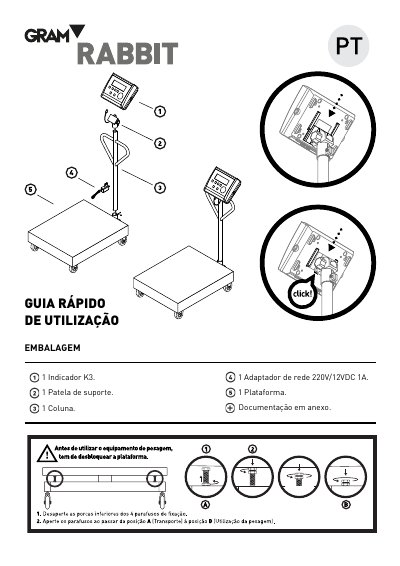
This guide explains how to operate the Gram K3 portable scale, including its display functions, button controls, and power options. It details how to use tare, switch units, and access menu settings. The scale can be powered by battery or AC adapter, with indicators for battery level and power source. Connection diagrams for load cells and RS-232 are provided for integration with external systems. This manual is written in Portuguese.
Press the power button to turn it on. Hold it for about 1 second to turn it off.
It indicates a negative weight, which can occur if tare is active or if there’s an issue with zero calibration.