
Quick start guide for the Gram Imprimante printer covering unpacking, components, paper loading, and power connection.
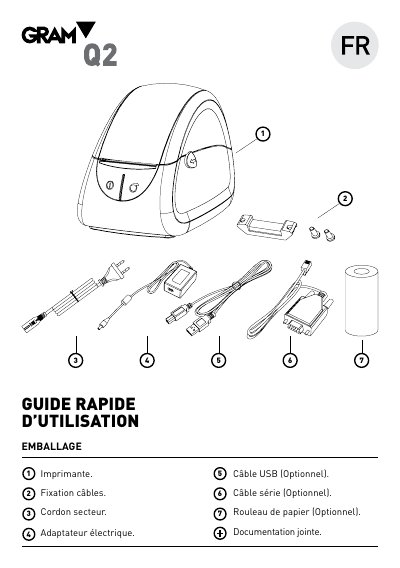
This quick start guide covers the Gram Imprimante printer's package contents, front and rear components, paper roll loading, external paper roll loading, print preparation, and power connection.
It also notes that Windows controller installation is described in the user manual, that the paper sensor should be centered when not using black-mark paper, and that the movable paper sensor must be positioned as shown for label printing. This manual is written in French.
Open the cover with the lever, raise and adjust the paper roll shaft to the roll's inner diameter, install and fix the roll, pull the paper through the fully opened paper guides, adjust the guides to the paper width, then close the cover and tear off excess paper.
Connect the AC adapter to the power interface, connect the AC adapter to the power cord, and plug the other end of the power cord into the outlet.
Center the sensor.
It must be fixed as shown so it can detect the paper status and label position in label printing mode.