
Quick start guide for the Gram Z3 weighing display, covering buttons, basic weighing, printing, hold mode, setup menu, calibration, and load cell connection.
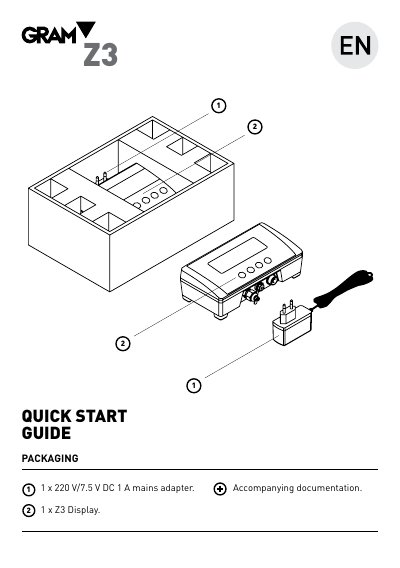
The Gram Z3 is a weighing display whose quick start guide covers packaging contents, button functions, display components, and basic operations such as taring, printing tickets, accumulated totals, and hold mode.
It also documents the scale configuration menu, setup options, calibration steps, geographical adjustment values, and load cell connection pin assignments.
| Mains adapter | 220 V / 7.5 V DC, 1 A |
|---|---|
| Weight units | g, kg, oz, lb |
| Division choices | 1, 2, 5, 10, 20, or 50 |
| Geographical location code range | 0 to 31 |
| Load cell connector | 7-pin connector options |
| RS232 baud rate options | 19200, 9600, 38400, 57600 |
Place the container on the platform, wait for a stable reading, press the tare key, and check that tare is shown with a reading of 0.
Place an object on the platform, wait for a stable reading, then press the print key.
Press the key twice; after an object is weighed and removed, the previous reading flashes on the display.
Hold the key for 2 seconds; the display shows NENU for half a second.