
User manual for the GIGABYTE AORUS 17G YD-73US345SH gaming laptop, covering setup, hardware features, operation, and maintenance.
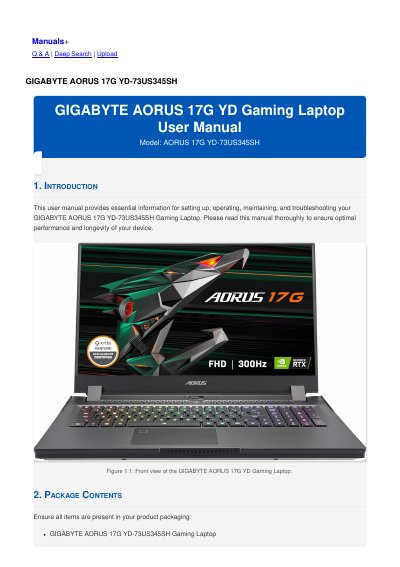
The GIGABYTE AORUS 17G YD-73US345SH is a high-performance gaming laptop featuring an 11th Gen Intel Core i7 processor and NVIDIA GeForce RTX 3080 graphics. It is equipped with a 17.3-inch 300Hz FHD display and a Windforce Infinity cooling system for efficient heat dissipation.
This manual provides essential instructions for initial power-on, connecting peripherals, managing power and cooling, and performing routine maintenance to ensure the device's longevity.
| Processor | 11th Gen Intel Core i7-11800H (2.3GHz~4.6GHz) |
|---|---|
| Graphics | NVIDIA GeForce RTX 3080 Laptop GPU (8GB GDDR6) |
| Display | 17.3-inch FHD (1920x1080) IPS 300Hz |
| Memory | 32GB DDR4 RAM (expandable up to 64GB) |
| Storage | 512GB Gen4 SSD |
| Battery | 99W |
| Weight | Approximately 5.9 lbs |
Connect the AC adapter to the DC power port and a power outlet, open the lid, and press the power button above the keyboard.
Ensure the AC adapter is securely connected to both the laptop and a working power outlet, or try a different outlet.
Use a soft, lint-free cloth lightly dampened with water or a screen cleaner, and avoid spraying liquid directly onto the screen.